 ℠
 Slipstream℠
From a record in your database to a message in someone’s inbox.
Slipstream reads your business database, finds the records that matter today, and sends each one as an email or text: personalized, on schedule, and tracked. Anyone comfortable with a spreadsheet can set it up.
Pick your data without writing SQL
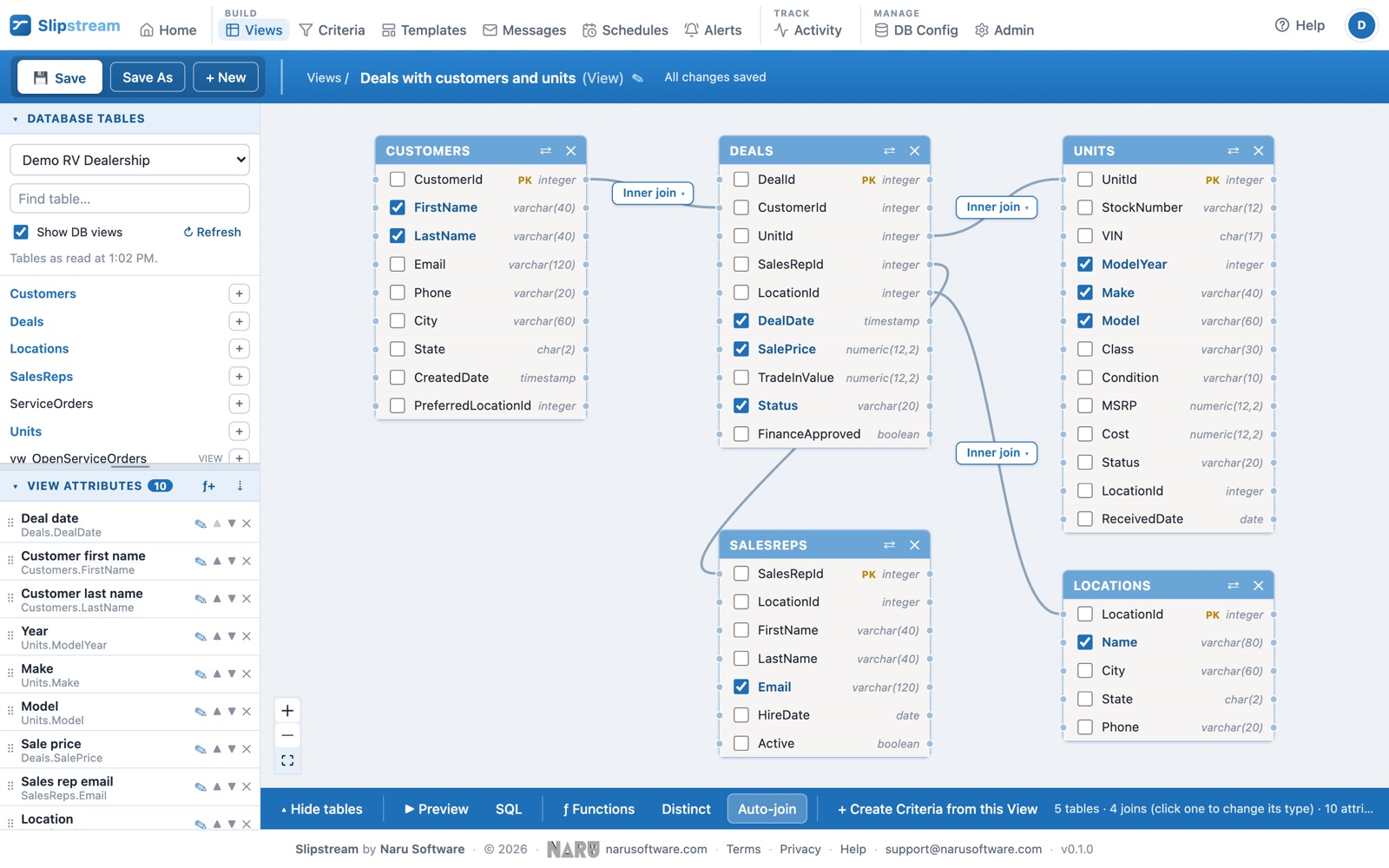
Choose the tables you need and Slipstream joins them for you: deals with their customers and units, leases with their tenants and properties. Pick the fields to use, add calculated ones, and preview real records as you go.
- SQL Server, including Azure SQL
- PostgreSQL, including Amazon RDS and Aurora, Azure, Google Cloud SQL, Supabase, and Neon
- Databases in your office or behind a cloud firewall, through the Slipstream Agent
- Read-only, always
- See the SQL behind every view and criteria, if you or your IT team want to check it
Find exactly the records that matter today
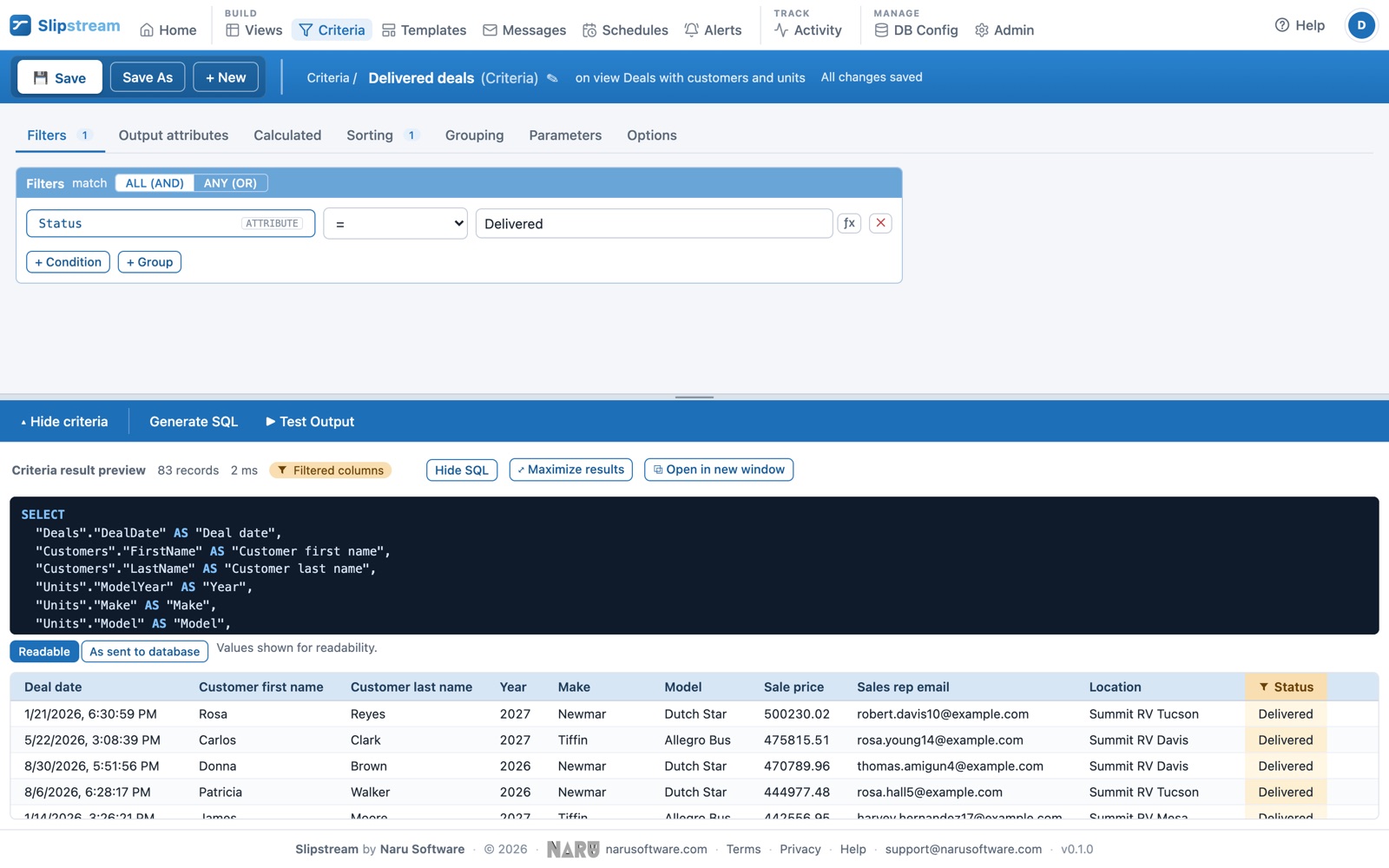
Filters, sorting, and grouping, built from lists: “Grand Design units sold yesterday”, “leases ending in the next 60 days”, “work orders open more than a week”. Add parameters such as a location, and reuse the same criteria for different stores or properties.
Next service date is on or before Today + 30 days
and Owner email is not empty
sorted by Next service date
Dates like Today and Start of this month move with the calendar, so the alert finds the right records every day.
Emails that look like you sent them
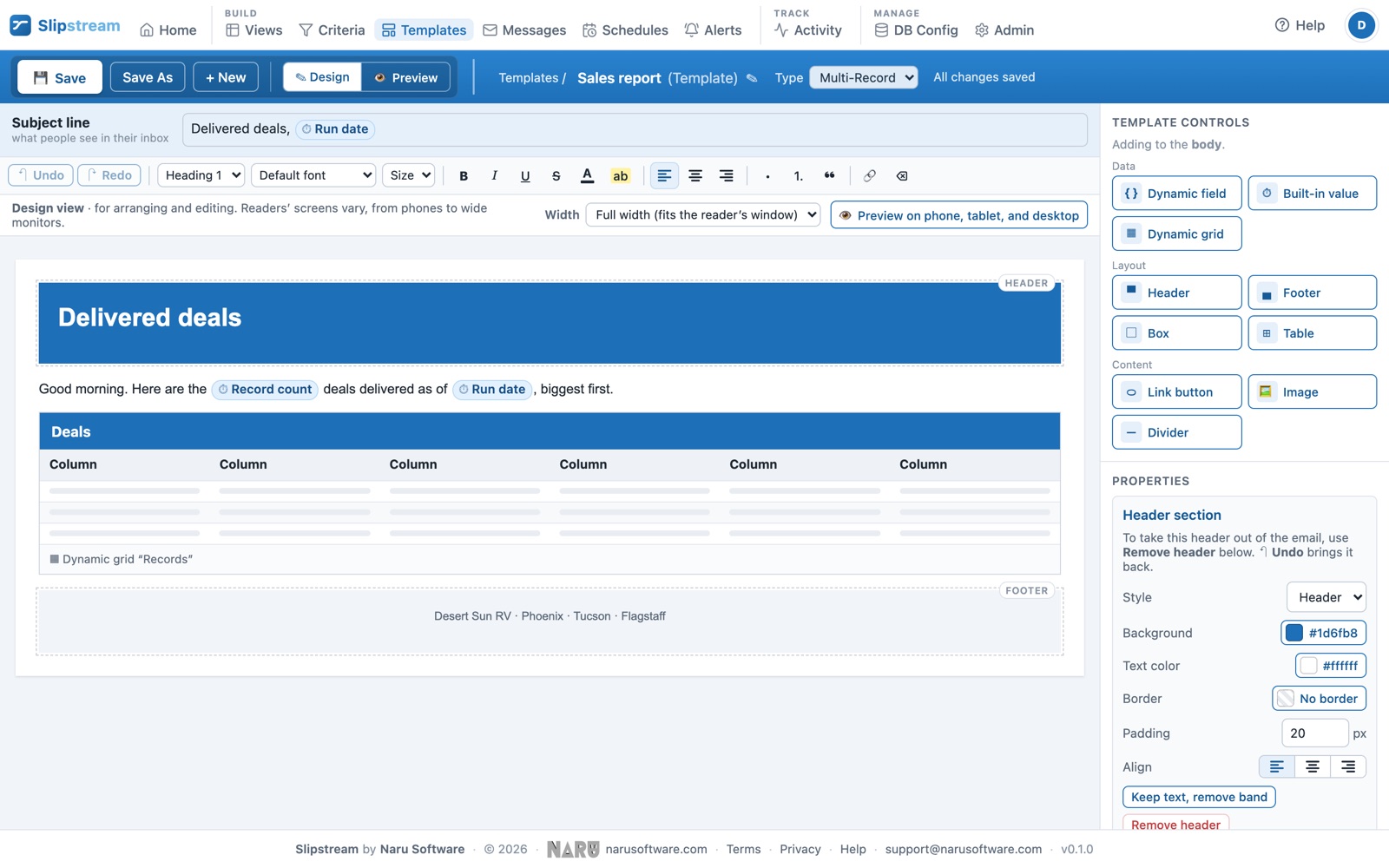
Design emails in a visual editor with your logo and colors. Drop in fields such as the customer’s name and unit, or a table of records with totals. Add a text message alongside, and see each message filled in with real data before anything is sent.
- One message per record: a reminder to each customer
- One report for many records: a summary to each manager, with a CSV of every row
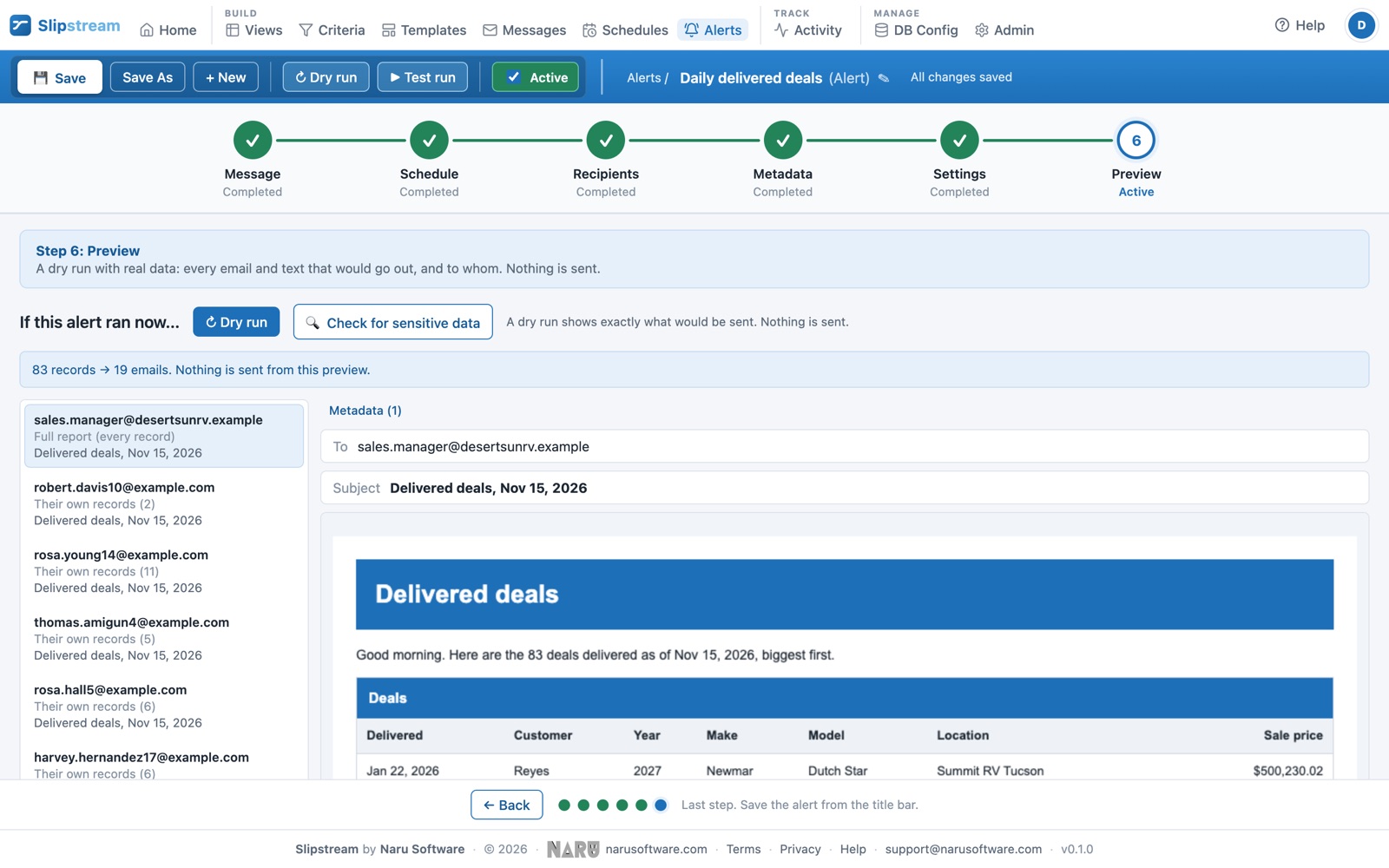
- Each person’s own list: each salesperson or manager gets just their own records, from one alert, with no upkeep when people change
- Email, text message, or both
- Preview with real records before you send
It runs on its own, at the right time
Every weekday at 8 AM, every Monday, the first of the month, in your time zone, with daylight saving handled: an 8 AM alert stays at 8 AM when the clocks change. Send to the email address or mobile number in each record, copy a manager, send each record only once (or once a month), and skip anyone who asked not to hear from you. Your other systems can start an alert too, for example when a deal is funded.
- Every few minutes, hourly, daily, weekly, monthly, or yearly
- Recipients from the data, plus fixed copies
- “Send only once” and “at most once every N days”
- Start an alert from another system with a secure key
What building an alert looks like
Shown with Slipstream’s sample RV dealership data. Click any screen to see it full size.
Know what happened to every message
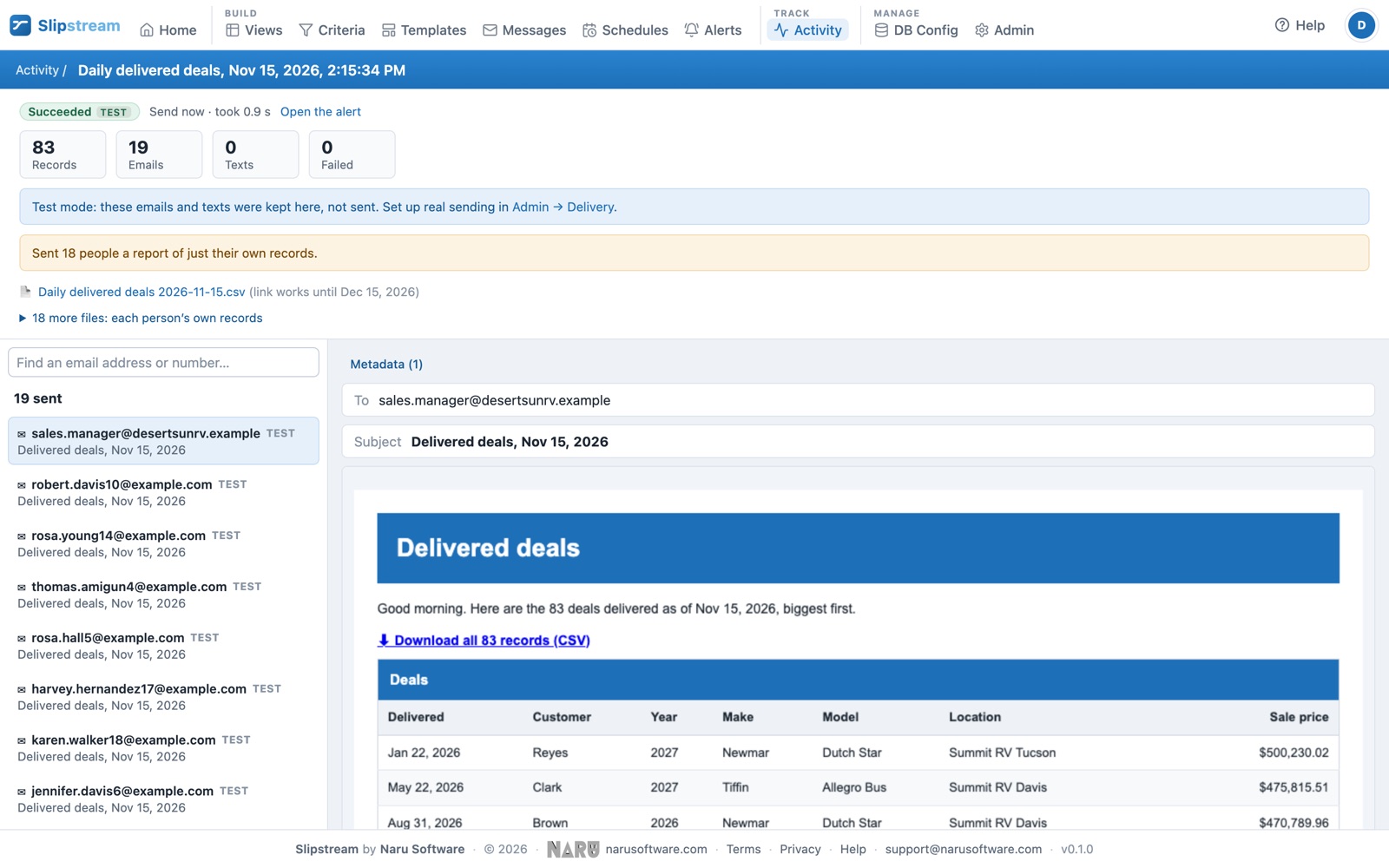
Activity shows every run and every email and text: sent, delivered, bounced, opened, clicked, and you can search it by alert, size, date, or recipient. Try everything safely in test mode first; nothing leaves Slipstream until you turn sending on.
Send your way
Send from your own Microsoft 365 or Google Workspace mailbox (no mailbox password needed), your SendGrid account, or your mail server, or let Slipstream send for you with nothing to set up, even from your own domain. Texts go through your own Twilio account, and we can connect other text services on request.
Delivered, opened, clicked
Open and click tracking with any email service; delivery reports when email goes through Slipstream or SendGrid, and for texts through Twilio.
Opt-outs handled
Unsubscribe links on reports, STOP replies for texts, bounced addresses and landlines skipped automatically.
Users and roles
Invite your team with roles that decide who can build, who can send, and who can only look. Several people can work at once: if someone else saved first, Slipstream says so, and nobody’s changes are lost.
Sensitive data caught
Before an alert goes out, check what it would send for card numbers, Social Security numbers, and other sensitive data, then show only the last four digits with one function.
Ready for downtime
If your database can’t be reached, Slipstream tries again after 5, 15, and 30 minutes. For planned maintenance, pause the alerts on that database until a time you choose, or pause everything in an emergency. When you resume, catch up on missed alerts or skip them. If an alert fails, the right people get one email.
See more notable features → Audit log, locations and departments, two-step sign-in, test mode, and more.
See Slipstream with your own data
We’ll show you Slipstream working on sample data, modeled on your business if you like, and talk through what you’d like to send. Or start with a free 30-day trial, no card needed.